Every station in sight. Every order on time.हर स्टेशन नज़र में। हर ऑर्डर समय पर।
Chapter 7 · अध्याय 7
The kitchen boardकिचन बोर्ड
- Set up your kitchen the first timeपहली बार किचन सेट कीजिए
- Send new orders to the right stationनए ऑर्डर सही स्टेशन पर भेजिए
- Start and finish each dishहर डिश शुरू और पूरी कीजिए
STEP 1 · चरण 1
Set up your kitchen (first time)किचन सेट कीजिए (पहली बार)
The first time you open Kitchen, a short guide asks where dishes are prepared. A station is a working area, like Grill or Tandoor.Kitchen पहली बार खोलने पर एक छोटी गाइड पूछती है कि डिश कहाँ बनती हैं। स्टेशन यानी काम करने की जगह, जैसे Grill या Tandoor।
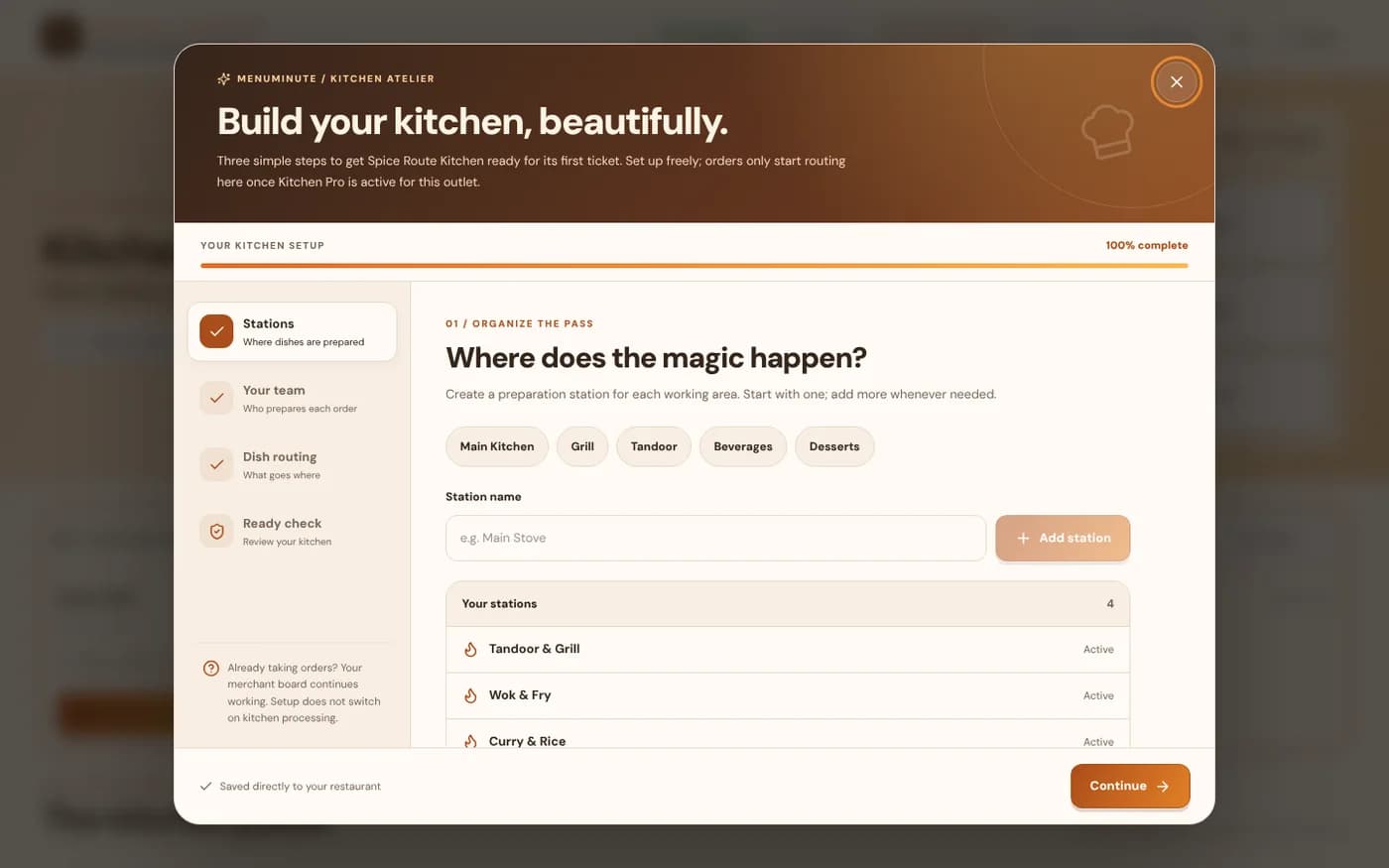
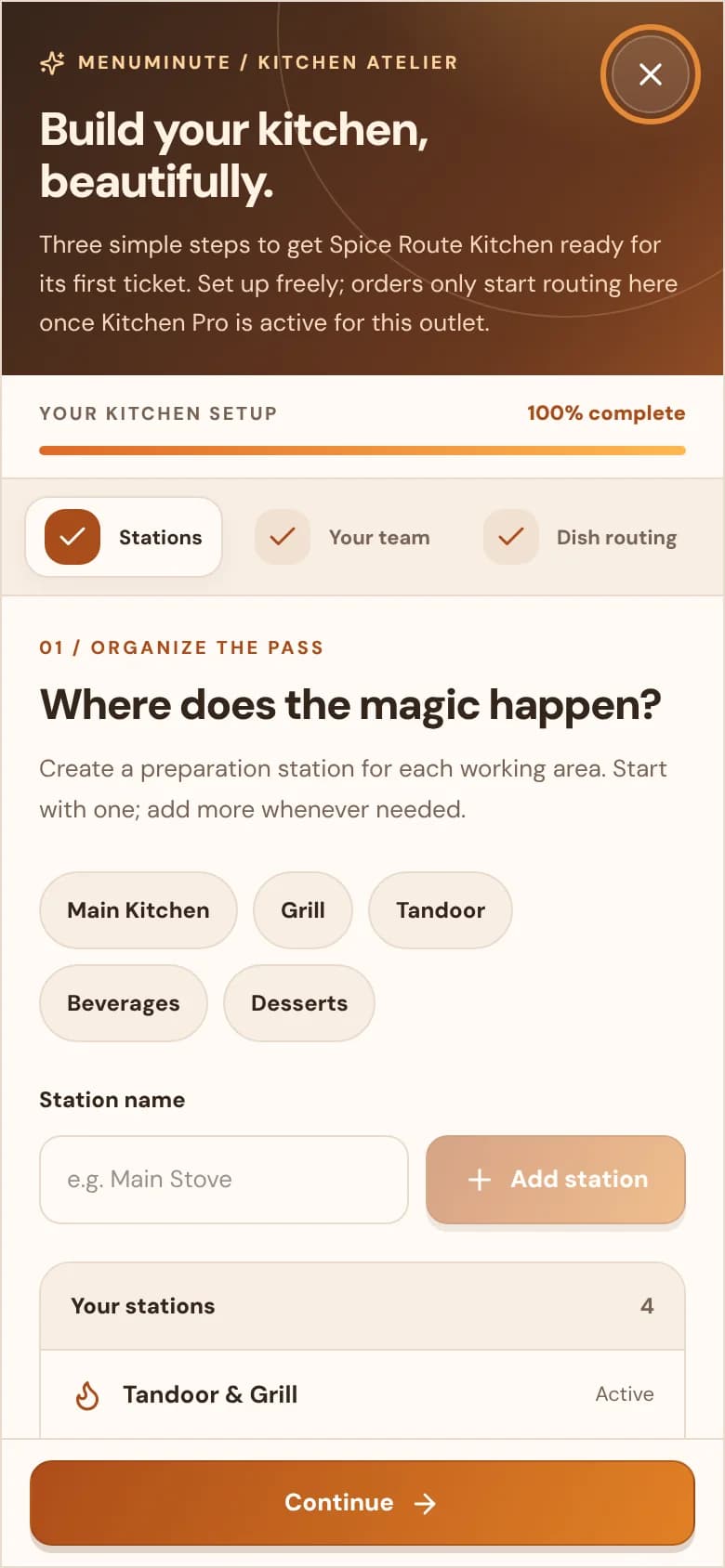
- •Add a station. Type a name such as Main Kitchen, or tap a ready-made name like Grill or Tandoor.एक स्टेशन जोड़िए। Main Kitchen जैसा नाम लिखिए, या Grill, Tandoor जैसे बने-बनाए नाम पर टैप कीजिए।
- •The guide then asks about Your team, Dish routing and a Ready check. Dish routing decides which dishes go to which station.इसके बाद गाइड Your team, Dish routing और Ready check के बारे में पूछती है। Dish routing तय करती है कि कौन-सी डिश किस स्टेशन पर जाएगी।
- 1Click Continue after each step until the guide is done.गाइड पूरी होने तक हर स्टेप के बाद Continue पर क्लिक कीजिए।
STEP 2 · चरण 2
Send new orders to a stationनए ऑर्डर स्टेशन पर भेजिए
New orders wait in a box at the top of the Kitchen screen until someone accepts them.नए ऑर्डर Kitchen स्क्रीन के ऊपर एक डिब्बे में तब तक रुके रहते हैं जब तक कोई उन्हें स्वीकार न करे।
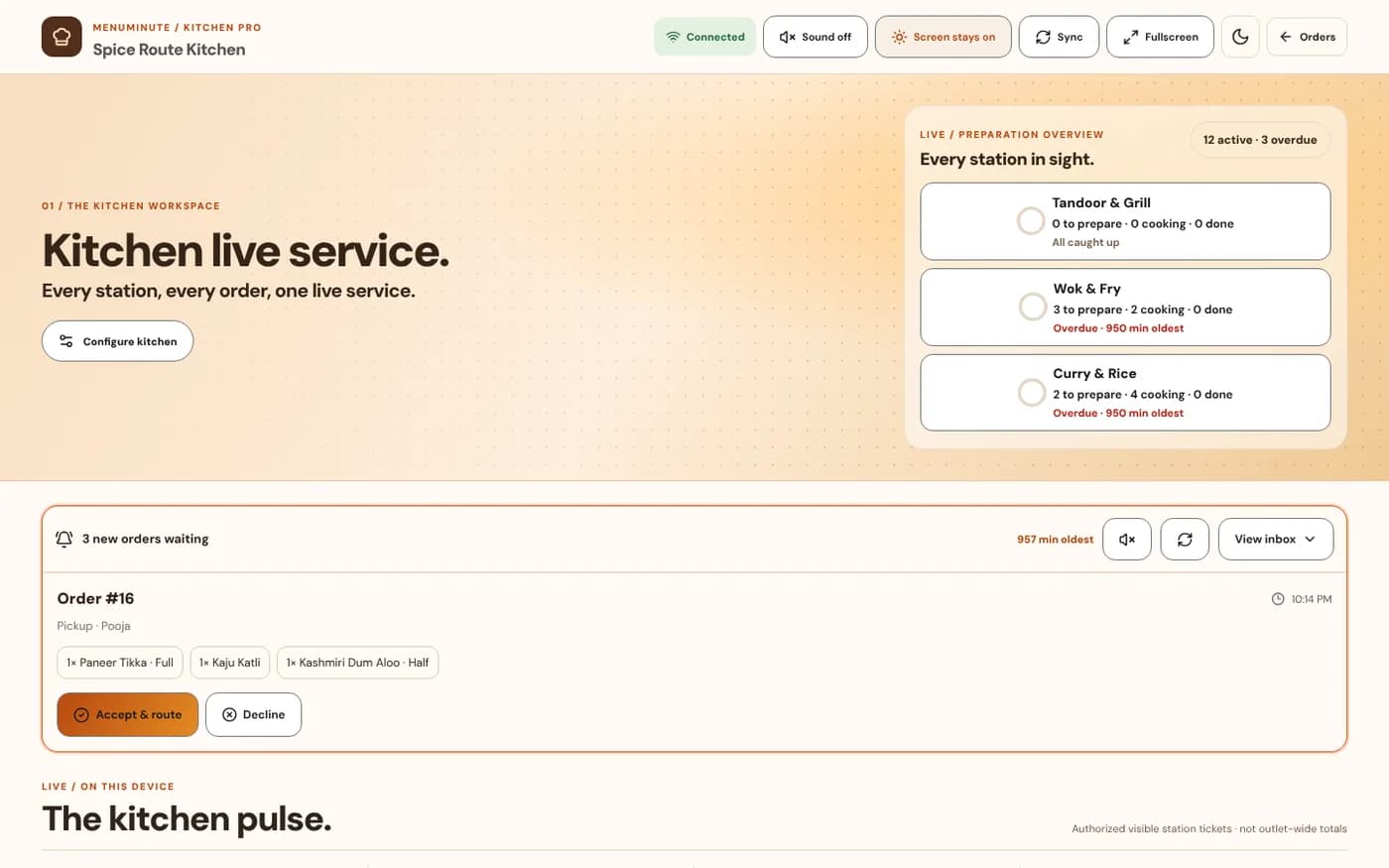
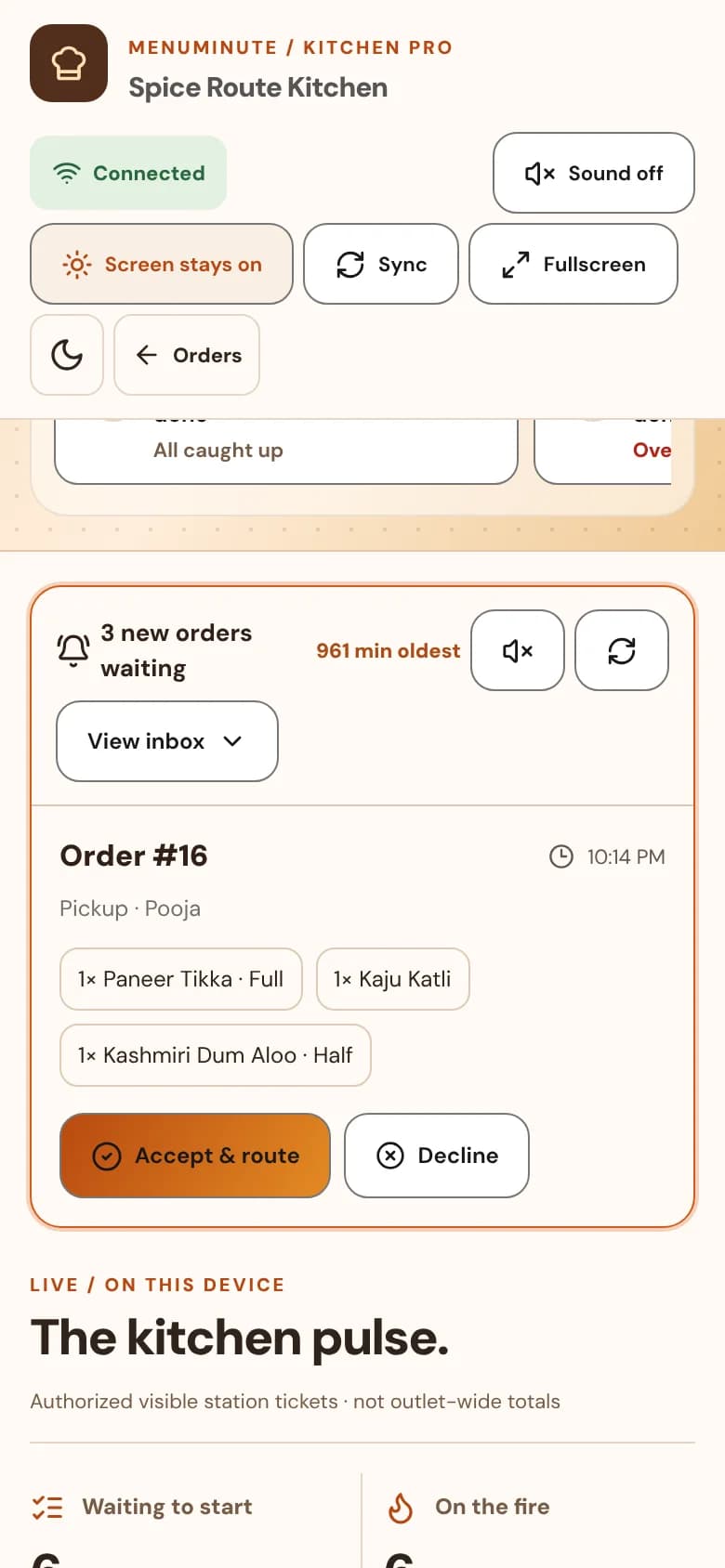
- 1Click Accept & route. The order goes to the right station for each dish.Accept & route पर क्लिक कीजिए। हर डिश का ऑर्डर उसके सही स्टेशन पर चला जाता है।
- 2Click Decline if the kitchen cannot make it.किचन नहीं बना सकता तो Decline पर क्लिक कीजिए।
STEP 3 · चरण 3
Start and finish each dishहर डिश शुरू और पूरी कीजिए
The board has three columns: To prepare, Preparing and Completed. Dishes move from left to right.बोर्ड पर तीन कॉलम हैं: To prepare, Preparing और Completed। डिश बाएँ से दाएँ बढ़ती जाती हैं।
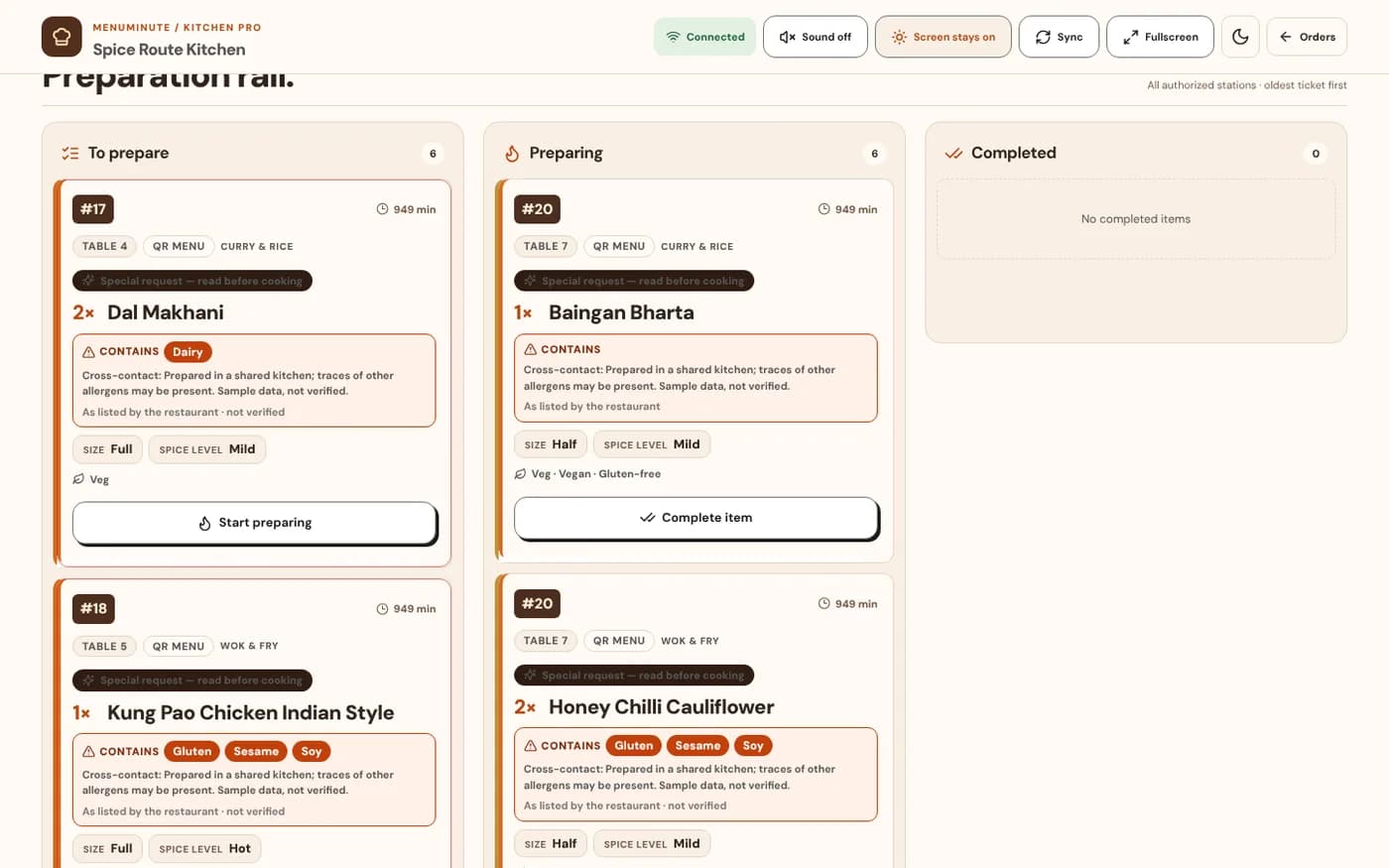
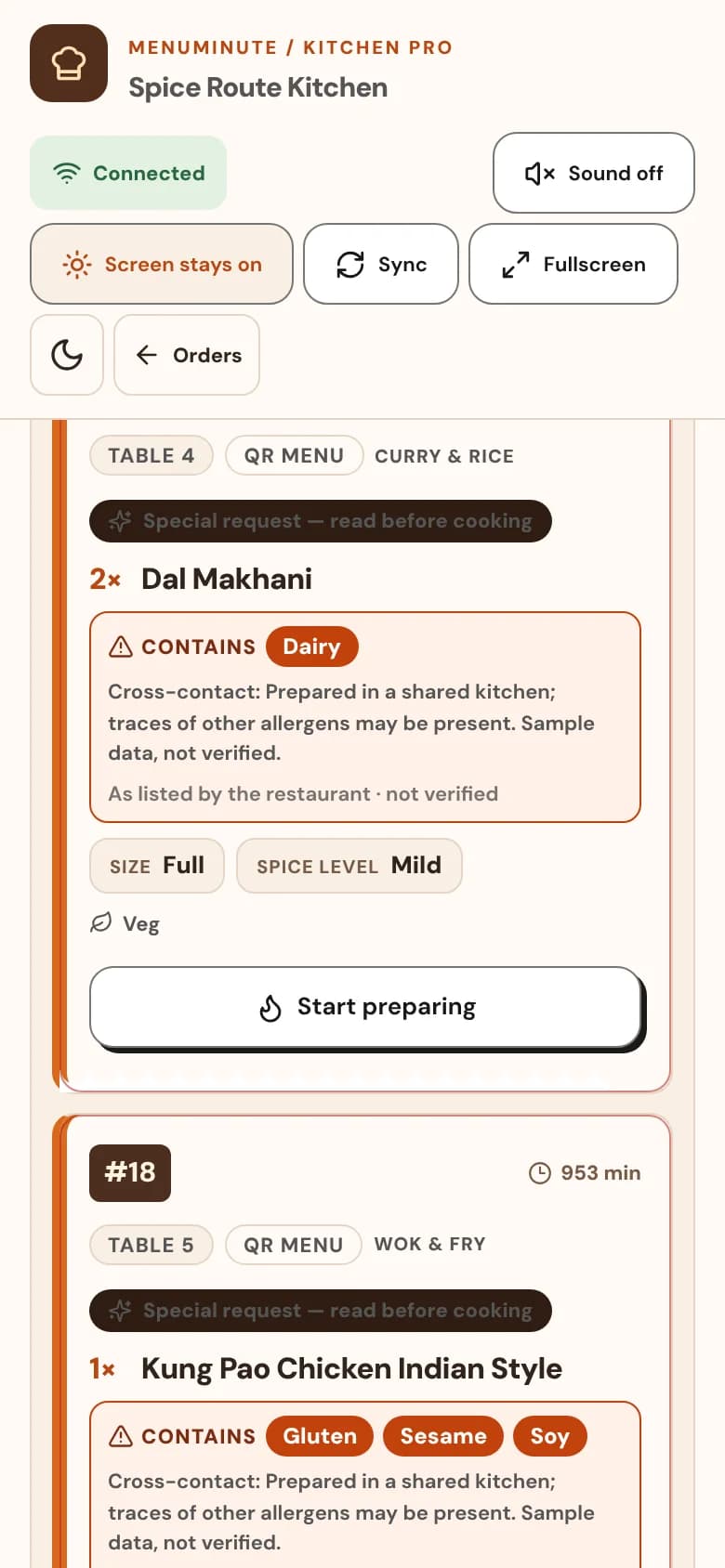
- 1Click Start preparing when you begin cooking a dish.डिश बनाना शुरू करते ही Start preparing पर क्लिक कीजिए।
- 2Click Complete item when the dish is ready.डिश तैयार होते ही Complete item पर क्लिक कीजिए।
- •Use the station buttons at the top to see only your own station.सिर्फ़ अपना स्टेशन देखने के लिए ऊपर के स्टेशन बटन इस्तेमाल कीजिए।
Before you move onआगे बढ़ने से पहले
- I finished the kitchen setupमैंने किचन सेटअप पूरा कर लिया
- I can accept and route an orderमैं ऑर्डर स्वीकार करके स्टेशन पर भेज सकता/सकती हूँ
- I can start and complete a dishमैं डिश शुरू और पूरी कर सकता/सकती हूँ
If something looks wrongकुछ गड़बड़ लगे तो
- The kitchen screen goes dark.किचन की स्क्रीन बंद हो जाती है।
- Switch on Screen stays on at the top of the Kitchen screen.Kitchen स्क्रीन के ऊपर Screen stays on चालू कर दीजिए।
- I see the word Overdue.मुझे Overdue लिखा दिख रहा है।
- It means orders have waited longer than they should. Start preparing them first.इसका मतलब है कि ऑर्डर ज़रूरत से ज़्यादा देर से रुके हैं। पहले उन्हें शुरू कीजिए।
- A dish goes to the wrong station.कोई डिश गलत स्टेशन पर जा रही है।
- Check Dish routing in Configure kitchen. You can also use Transfer ticket to move it.Configure kitchen में Dish routing देखिए। टिकट दूसरे स्टेशन पर भेजने के लिए Transfer ticket भी इस्तेमाल कर सकते हैं।