
See how your restaurant is really doing.देखिए आपका रेस्टोरेंट सच में कैसा चल रहा है।
Chapter 9 · अध्याय 9
Reportsरिपोर्ट
- Pick the days you want to seeजिन दिनों को देखना है, वे चुनिए
- Read the main numbersमुख्य नंबर पढ़िए
- Open the daily summary and export a fileडेली समरी खोलिए और फ़ाइल एक्सपोर्ट कीजिए
STEP 1 · चरण 1
Choose the daysदिन चुनिए
Open Reports & Insights in the left menu. First choose which days you want to look at.बाईं तरफ़ के मेन्यू में Reports & Insights खोलिए। पहले चुनिए कि किन दिनों को देखना है।
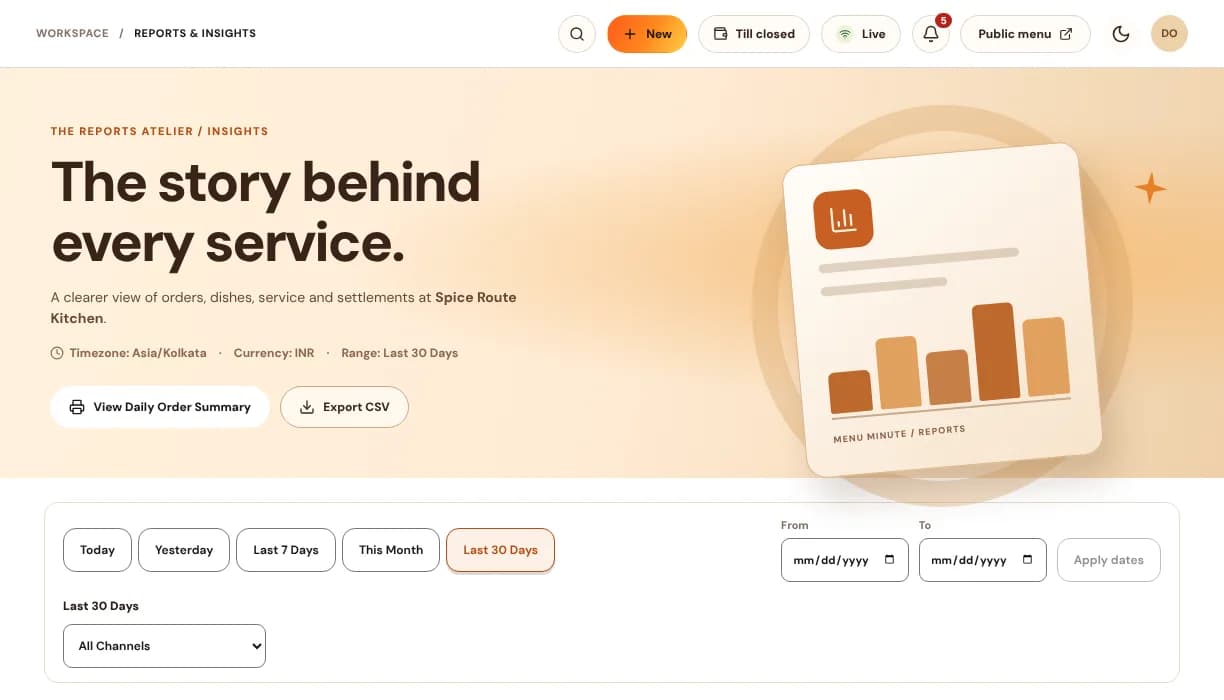
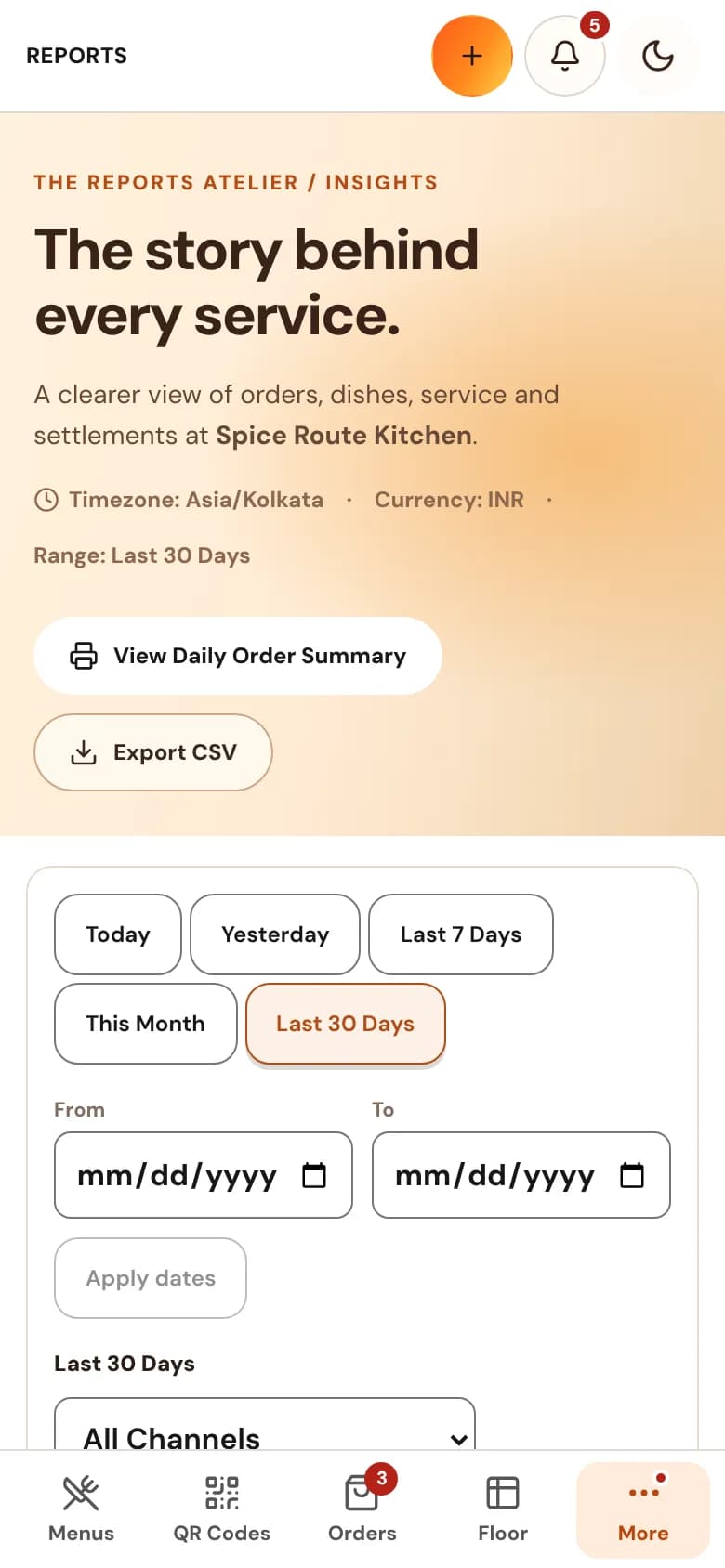
- 1Today shows today's numbers so far.Today में आज के अब तक के नंबर दिखते हैं।
- 2Last 7 Days shows the past week.Last 7 Days में पिछला हफ़्ता दिखता है।
- 3Last 30 Days shows the past month. You can also pick From and To dates, then click Apply dates.Last 30 Days में पिछला महीना दिखता है। From और To तारीख़ें भी चुन सकते हैं, फिर Apply dates पर क्लिक कीजिए।
STEP 2 · चरण 2
Read the main numbersमुख्य नंबर पढ़िए
The boxes at the top give the headline numbers. The charts below show where they come from.ऊपर के डिब्बे मुख्य नंबर बताते हैं। नीचे के चार्ट दिखाते हैं कि ये नंबर कहाँ से आए।
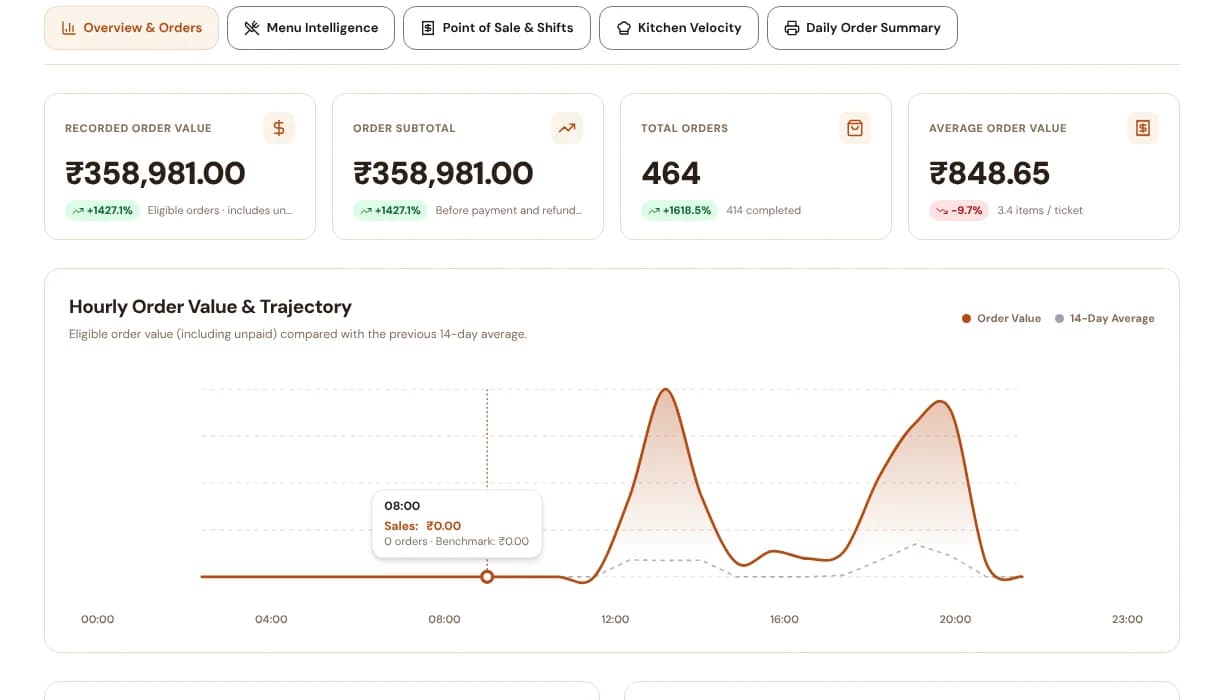
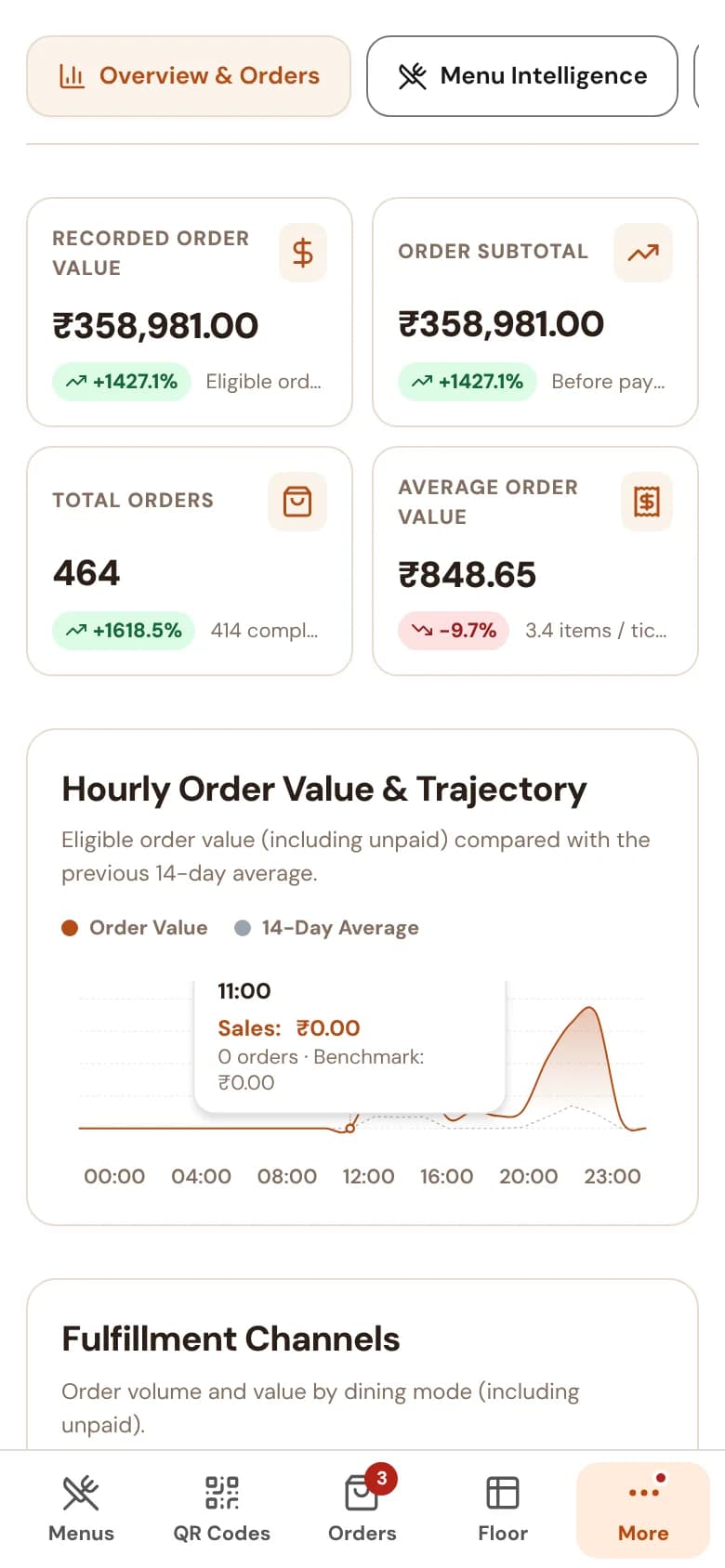
- 1Recorded order value: the total value of your orders.Recorded order value: आपके ऑर्डर की कुल रकम।
- 2Total orders: how many orders came in.Total orders: कितने ऑर्डर आए।
- 3Average order value: how much a typical order is worth.Average order value: एक आम ऑर्डर की औसत रकम।
STEP 3 · चरण 3
Daily summary and exportडेली समरी और एक्सपोर्ट
Use these two buttons at the top of the Reports page to review a day or keep a copy.किसी दिन को देखने या उसकी कॉपी रखने के लिए Reports पेज के ऊपर के इन दो बटन का इस्तेमाल कीजिए।
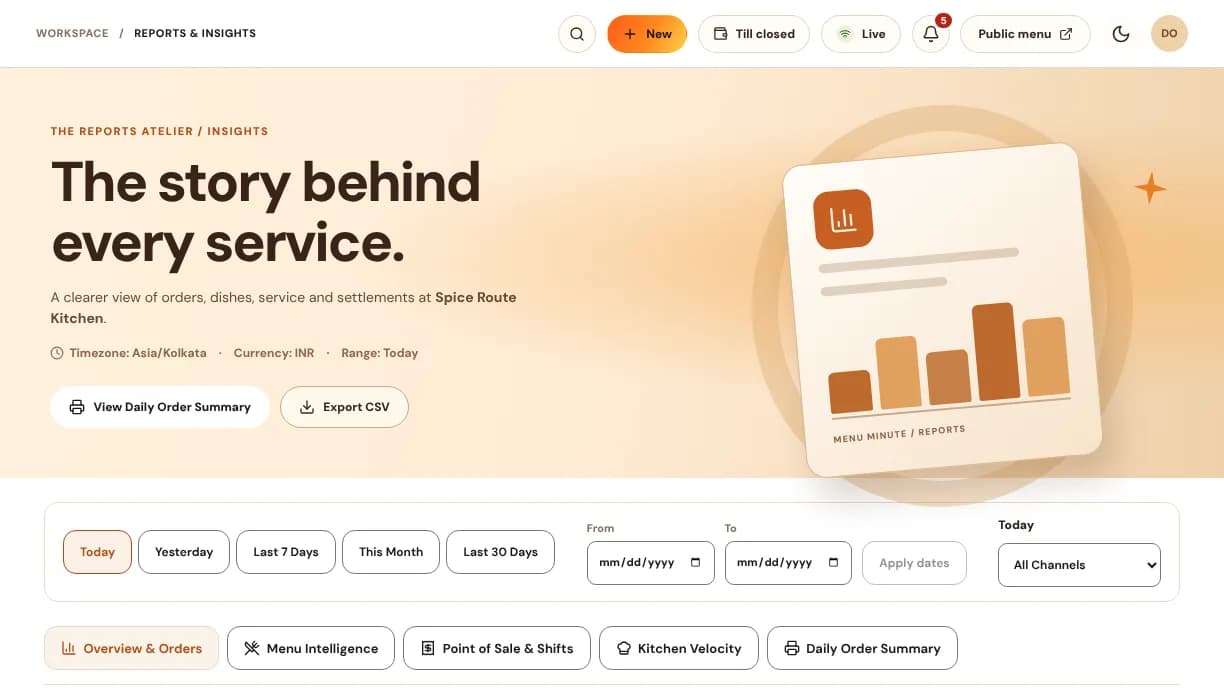
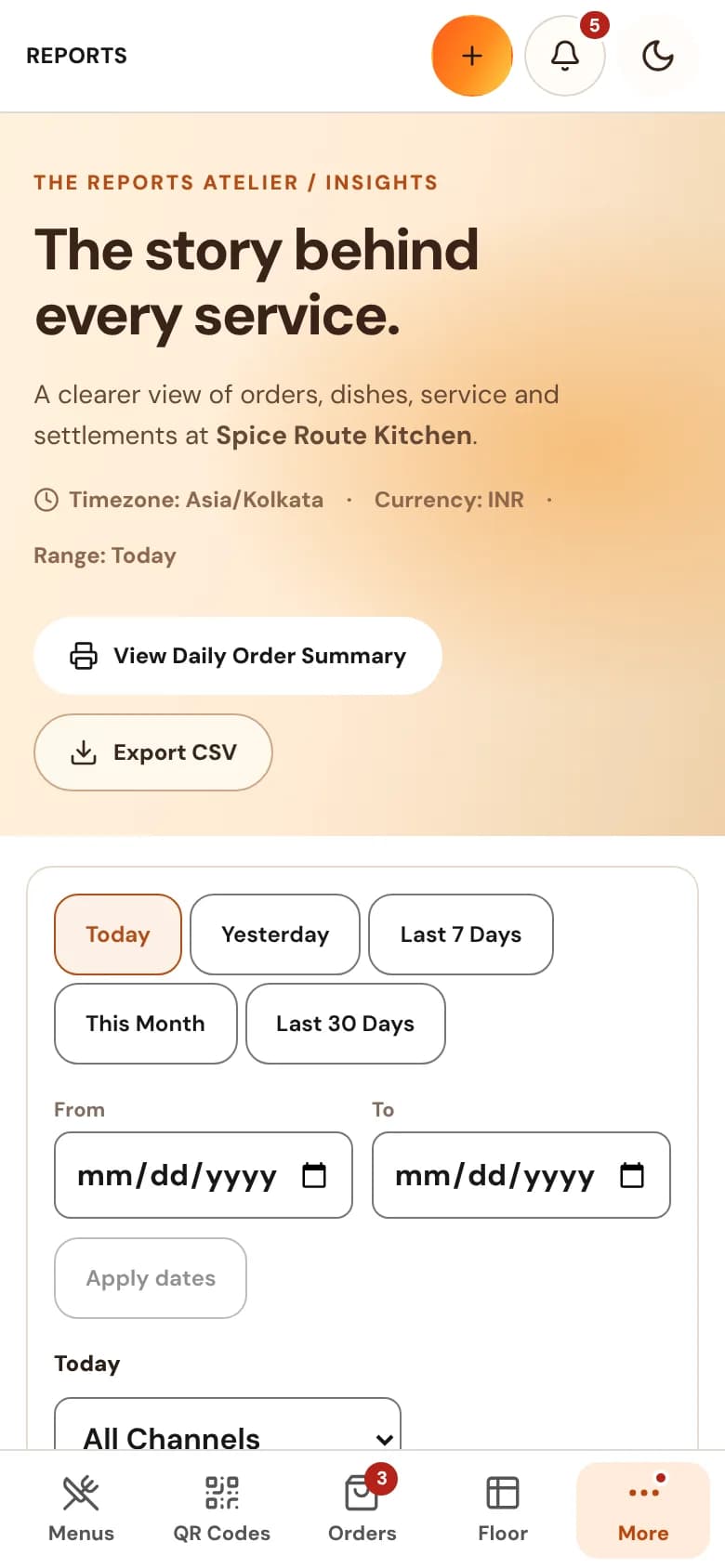
- 1Click View Daily Order Summary to see one day in a simple list.एक दिन को सरल लिस्ट में देखने के लिए View Daily Order Summary पर क्लिक कीजिए।
- 2Click Export CSV to download the data. You can open it in Excel or Google Sheets.डेटा डाउनलोड करने के लिए Export CSV पर क्लिक कीजिए। उसे Excel या Google Sheets में खोल सकते हैं।
Before you move onआगे बढ़ने से पहले
- I can choose the days to look atमैं देखने के लिए दिन चुन सकता/सकती हूँ
- I understand the main numbersमुझे मुख्य नंबर समझ आते हैं
- I can export a reportमैं रिपोर्ट एक्सपोर्ट कर सकता/सकती हूँ
If something looks wrongकुछ गड़बड़ लगे तो
- All the numbers are zero.सारे नंबर ज़ीरो हैं।
- Pick a wider period, such as Last 30 Days. A new restaurant also needs some orders first.बड़ी अवधि चुनिए, जैसे Last 30 Days। नए रेस्टोरेंट में पहले कुछ ऑर्डर आना भी ज़रूरी है।
- Where is yesterday?कल का हिसाब कहाँ है?
- Click Yesterday at the top of the page.पेज के ऊपर Yesterday पर क्लिक कीजिए।
- Can I share a report with my accountant?क्या मैं रिपोर्ट अपने अकाउंटेंट को भेज सकता/सकती हूँ?
- Yes. Click Export CSV and send the file.हाँ। Export CSV पर क्लिक कीजिए और फ़ाइल भेज दीजिए।