
Scan, browse and choose. No app. No account.स्कैन कीजिए, देखिए और चुनिए। न ऐप, न अकाउंट।
Chapter 5 · अध्याय 5
What your guests seeग्राहक को क्या दिखता है
- See how a guest opens your menuदेखिए ग्राहक आपका मेन्यू कैसे खोलता है
- See how guests find a dishदेखिए ग्राहक डिश कैसे ढूँढते हैं
- See how they add a dish to their orderदेखिए वे डिश ऑर्डर में कैसे जोड़ते हैं
STEP 1 · चरण 1
A guest scans your QRग्राहक आपका QR स्कैन करता है
Guests use the camera on their own phone. The menu opens in the browser. They do not need to install an app or make an account.ग्राहक अपने फ़ोन का कैमरा इस्तेमाल करते हैं। मेन्यू ब्राउज़र में खुल जाता है। कोई ऐप इंस्टॉल करने या अकाउंट बनाने की ज़रूरत नहीं।
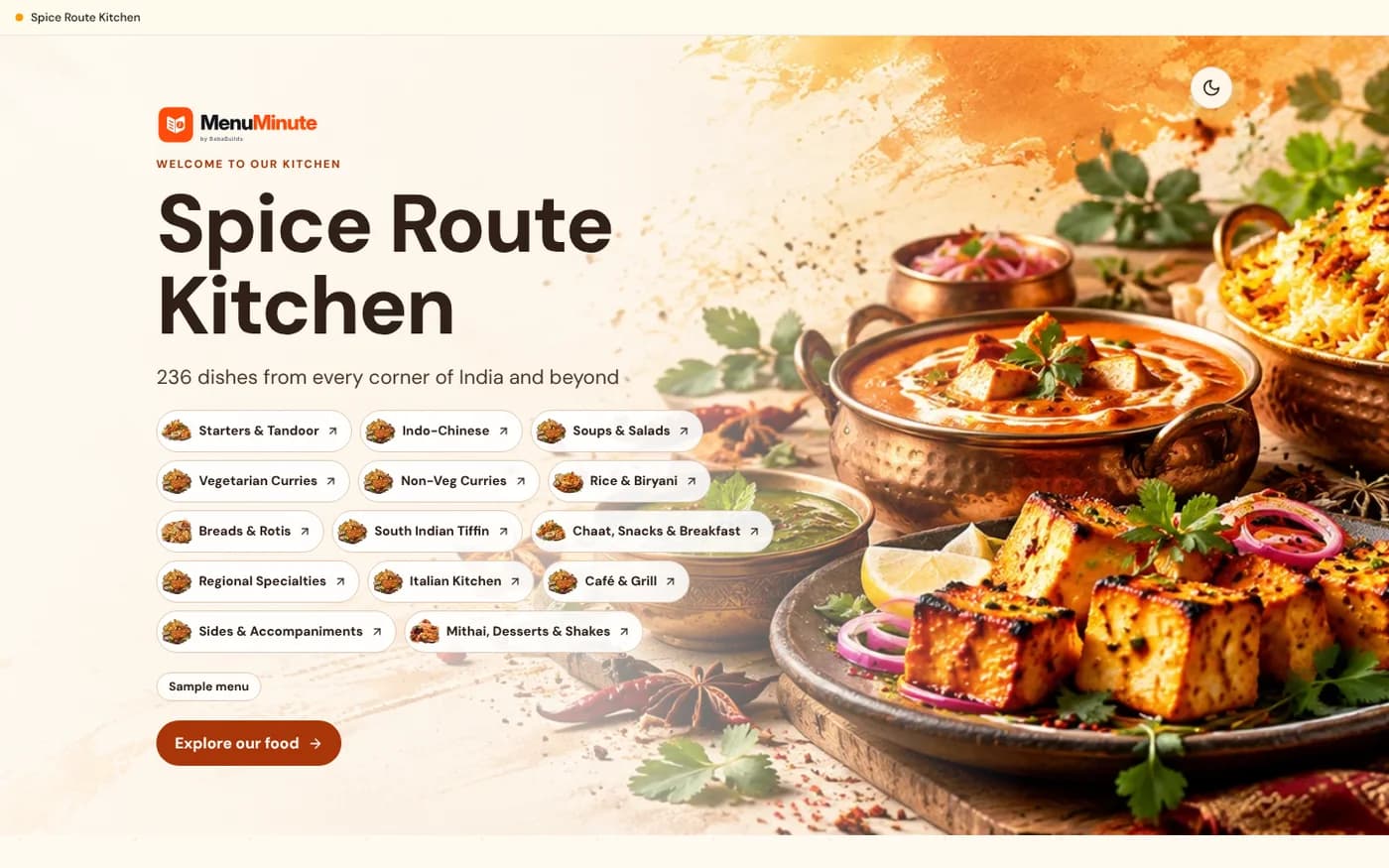
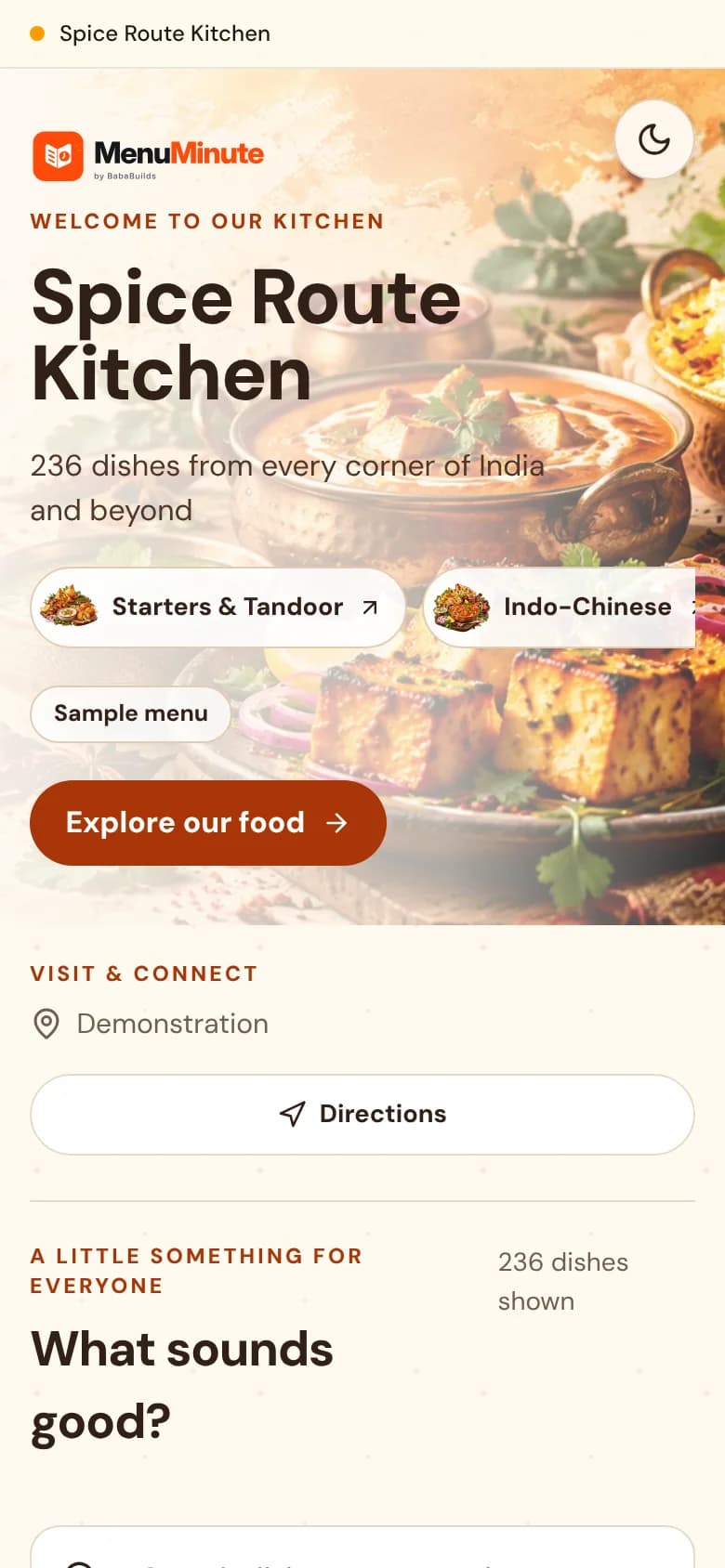
- •The guest opens the camera and points it at the QR code.ग्राहक कैमरा खोलकर QR कोड की तरफ़ रखता है।
- •Your restaurant page opens with its name, address and a Directions button.आपके रेस्टोरेंट का पेज खुलता है, जिसमें नाम, पता और Directions बटन होता है।
- 1The guest taps Explore our food to see the dishes.ग्राहक डिश देखने के लिए Explore our food पर टैप करता है।
STEP 2 · चरण 2
Guests find a dishग्राहक डिश ढूँढते हैं
Guests can type a name, tap a section, or use a filter to see only what suits them.ग्राहक नाम लिख सकते हैं, किसी सेक्शन पर टैप कर सकते हैं, या फ़िल्टर लगाकर सिर्फ़ अपनी पसंद की डिश देख सकते हैं।
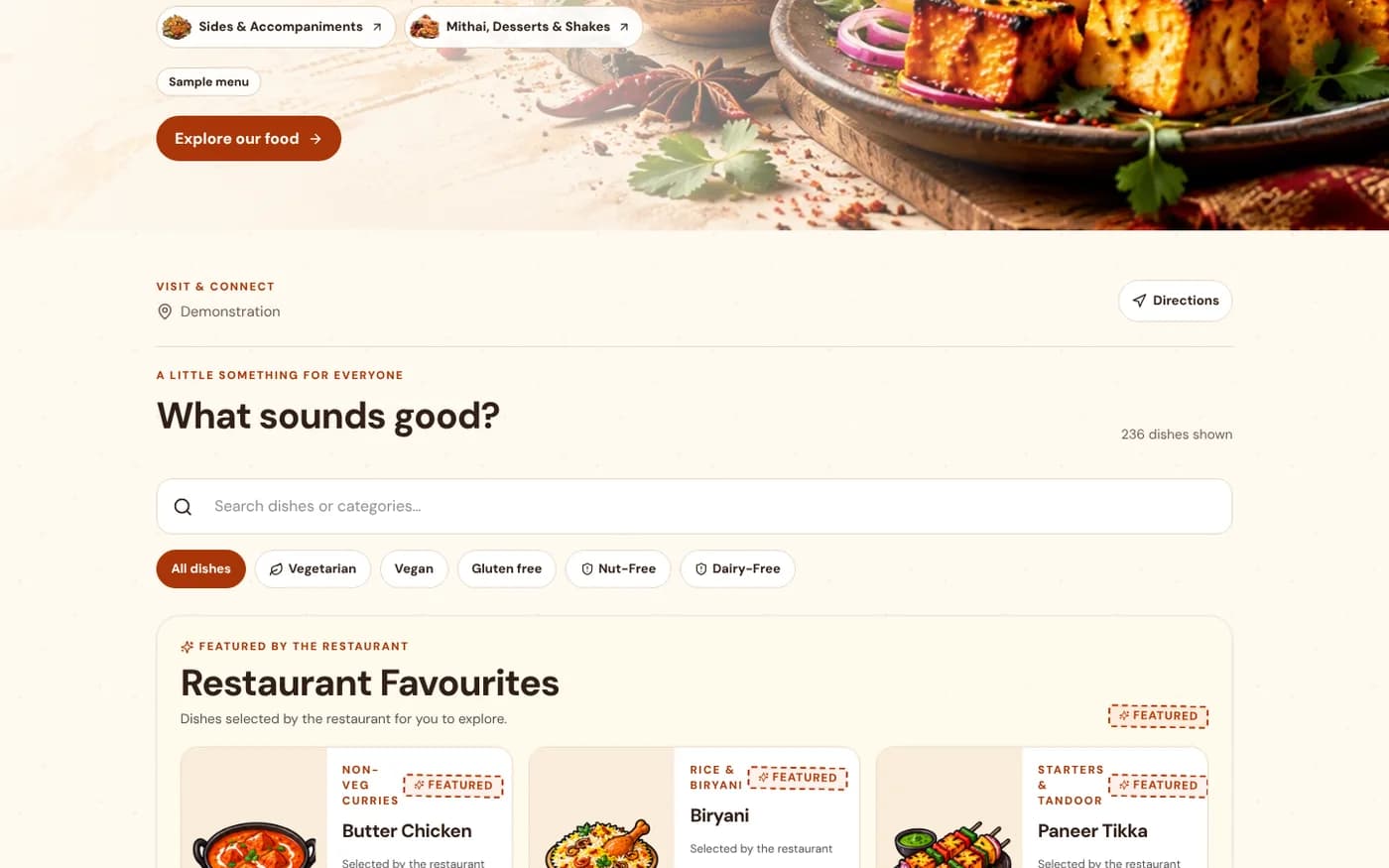
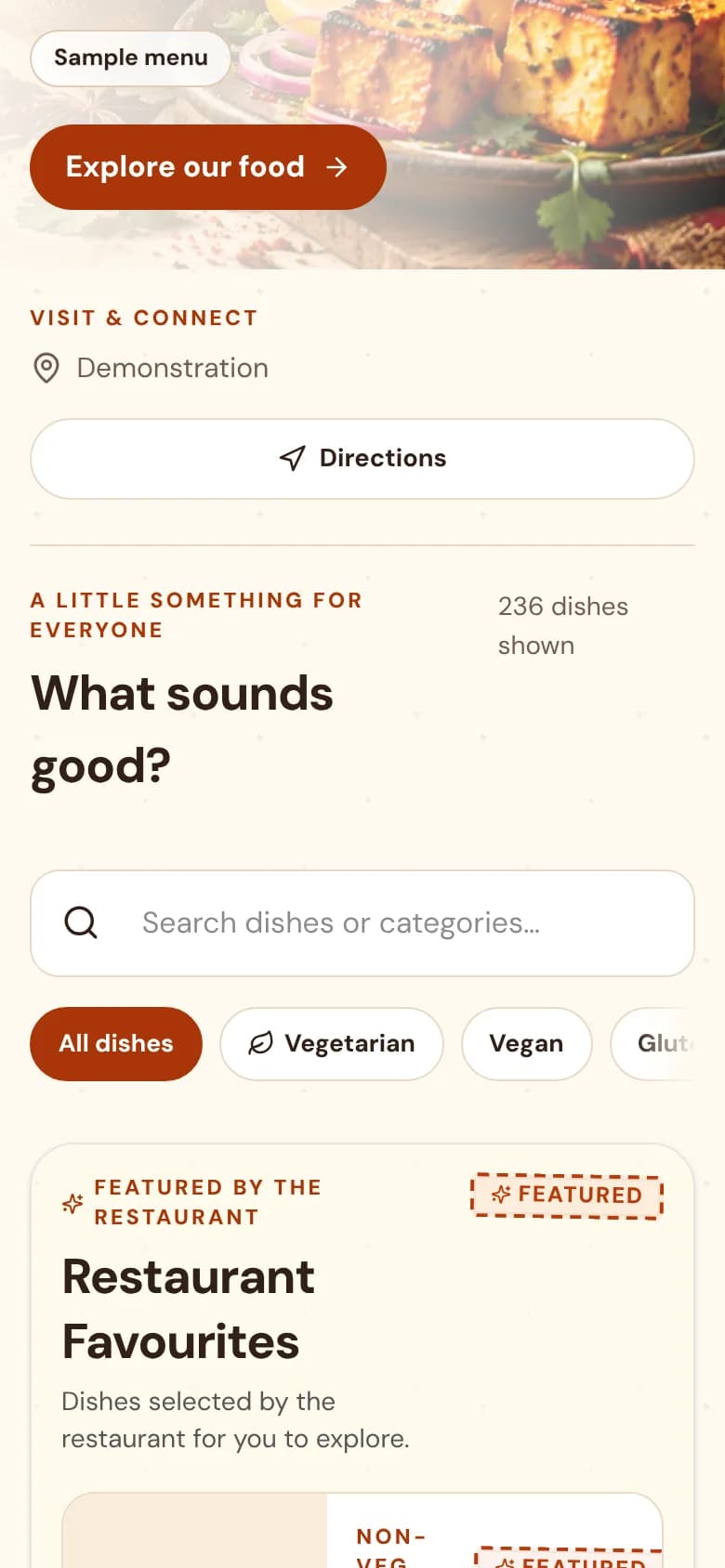
- 1Search by typing a dish name or a section name.डिश या सेक्शन का नाम लिखकर ढूँढ सकते हैं।
- 2Filters such as Vegetarian, Vegan, Gluten free, Nut-Free and Dairy-Free narrow the list.Vegetarian, Vegan, Gluten free, Nut-Free और Dairy-Free जैसे फ़िल्टर से लिस्ट छोटी हो जाती है।
STEP 3 · चरण 3
A guest opens a dish and ordersग्राहक डिश खोलकर ऑर्डर करता है
Tapping a dish shows its details. The guest chooses how many and adds it to the order.डिश पर टैप करने से उसकी पूरी जानकारी खुलती है। ग्राहक कितनी चाहिए यह चुनकर उसे ऑर्डर में जोड़ता है।
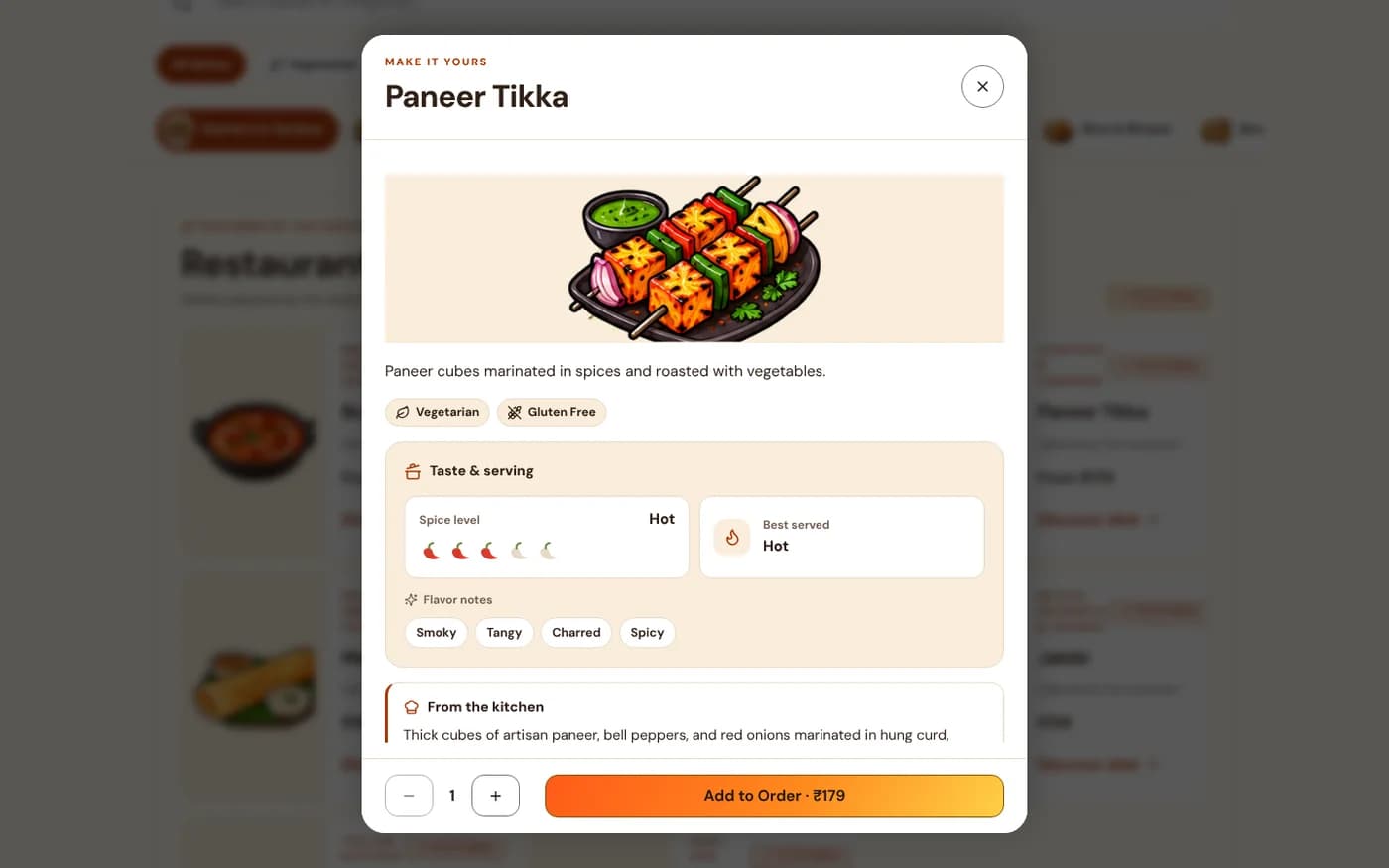
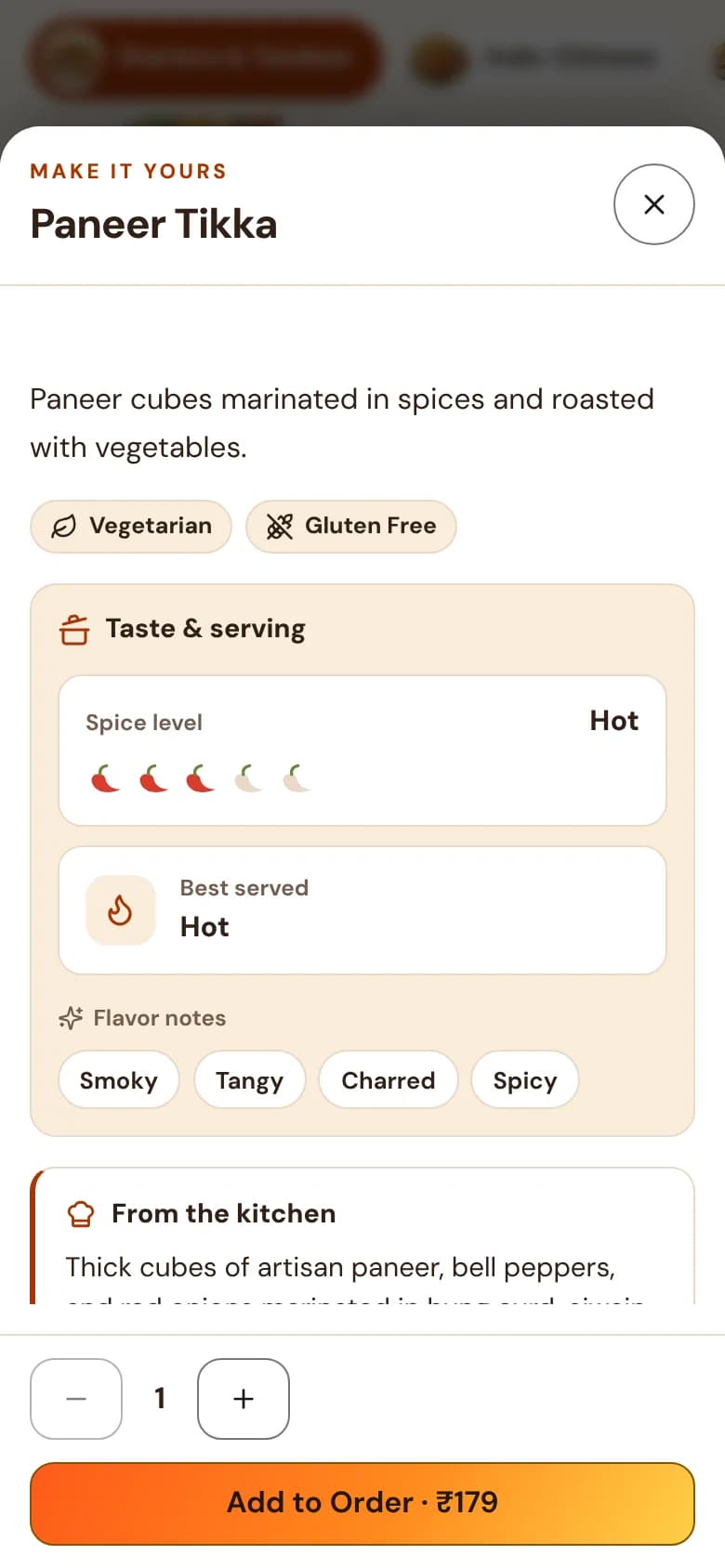
- •The guest reads the description, spice level and flavour notes.ग्राहक डिस्क्रिप्शन, स्पाइस लेवल और फ़्लेवर नोट्स पढ़ता है।
- •The guest uses the minus and plus buttons to choose how many.ग्राहक माइनस और प्लस बटन से मात्रा चुनता है।
- 1The guest taps Add to Order. The price is shown on the button.ग्राहक Add to Order पर टैप करता है। कीमत बटन पर ही लिखी होती है।
Before you move onआगे बढ़ने से पहले
- I know guests need no app or accountमुझे पता है ग्राहक को ऐप या अकाउंट नहीं चाहिए
- I know how guests find and add a dishमुझे पता है ग्राहक डिश कैसे ढूँढते और जोड़ते हैं
- I keep dish labels correctमैं डिश के लेबल सही रखता/रखती हूँ
If something looks wrongकुछ गड़बड़ लगे तो
- A guest orders a dish that is finished.ग्राहक ऐसी डिश ऑर्डर कर देता है जो ख़त्म है।
- Mark it sold out from Dish Availability on your Dashboard so guests cannot order it.Dashboard पर Dish Availability से उसे sold out मार्क कर दीजिए, ताकि ग्राहक उसे ऑर्डर न कर सकें।
- The price on the menu is wrong.मेन्यू में कीमत गलत दिख रही है।
- Fix it in Menu Studio, then publish. The same QR shows the new price.Menu Studio में ठीक कीजिए और पब्लिश कर दीजिए। वही QR नई कीमत दिखाएगा।
- A guest says no menu opens.ग्राहक कहता है मेन्यू नहीं खुल रहा।
- Check that Public menu status says Live, and ask the guest to check their internet.Public menu status में Live है या नहीं देखिए, और ग्राहक से इंटरनेट चेक करने को कहिए।