Run service
Kitchen display
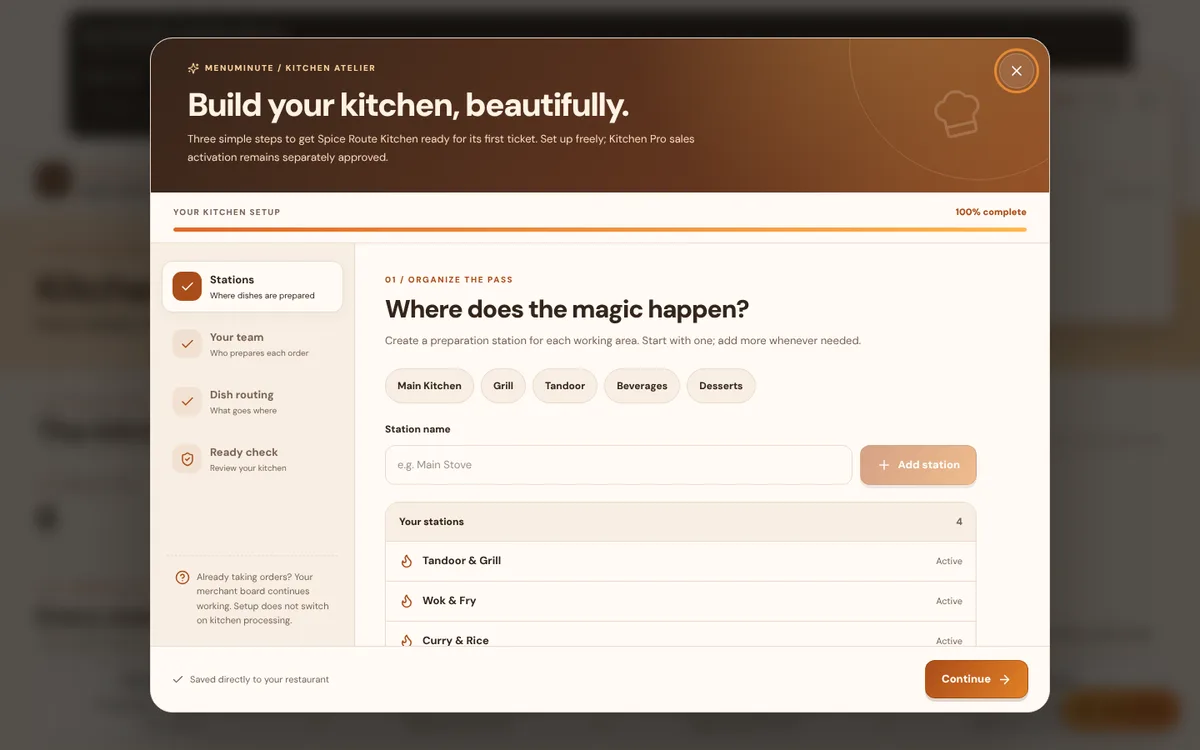
Route each dish to a station and track preparation from queued to ready.
What it does
- Kitchen Pro splits an accepted order into station tickets (for example Tandoor & Grill, Wok & Fry, Curry & Rice and Cold & Sweet).
- Cooks move their station's items through queued, preparing and complete. Final Check & Order Release confirms and releases each finished dish, one by one or together; the order is Ready with its last dish.
- Updates stream to every device, and staff only see the stations and outlets they are assigned to.
How to use it
- 1Accept an order in Orders. Its items appear on the matching stations.
- 2Start and finish items on the station screen.
- 3Check the dishes, then release the order from Final Check & Order Release.
Good to know
- Every published dish must be routed to a staffed station before Kitchen Pro can accept orders. The demo is pre-configured.
Try it yourself
Enter the demo first, then open this screen. No sign-up needed.